




-
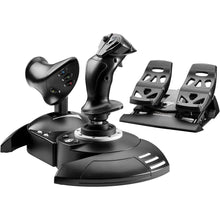 Proveedor:Thrustmaster
Kit completo Thrustmaster T.Flight X (Xbox Series X|S, One, PC)
Precio habitual $199.99Precio de oferta $199.99 Precio habitualPrecio unitario por -
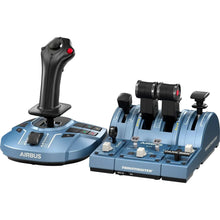 Proveedor:Thrustmaster
Thrustmaster TCA Captain Pack X Edición Airbus (Xbox Series X|S, One, PC)
Precio habitual $299.99Precio de oferta $299.99 Precio habitualPrecio unitario por -
Recién salido del hangar
Lo último de las mejores marcas de aviación. -
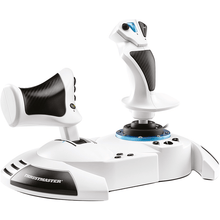 Proveedor:Thrustmaster
Thrustmaster HOTAS One Edición Microsoft Flight Simulator (Xbox Series X|S, One, PC)
Precio habitual $99.99Precio de oferta $99.99 Precio habitualPrecio unitario por -
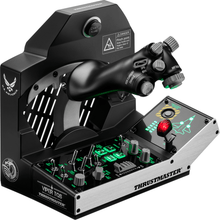 Proveedor:Thrustmaster
Paquete de misión Thrustmaster Viper TQS: sistema de cuadrante de aceleración de metal (PC)
Precio habitual $499.99Precio de oferta $499.99 Precio habitualPrecio unitario por -
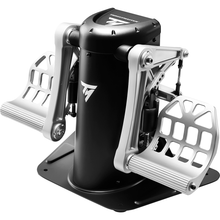 Proveedor:Thrustmaster
Pedales de timón pendulares Thrustmaster TPR (PC)
Precio habitual $599.99Precio de oferta $599.99 Precio habitualPrecio unitario por -
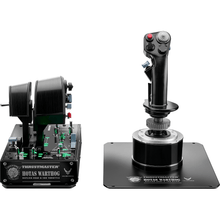 Proveedor:Thrustmaster
Palanca y acelerador Thrustmaster HOTAS Warthog (PC)
Precio habitual $549.99Precio de oferta $549.99 Precio habitualPrecio unitario por -
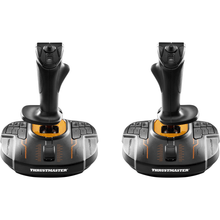 Proveedor:Thrustmaster
Joystick dual para simulación espacial Thrustmaster T.16000M FCS (PC)
Precio habitual $159.99Precio de oferta $159.99 Precio habitualPrecio unitario por -
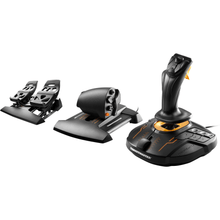 Proveedor:Thrustmaster
Paquete de vuelo FCS Thrustmaster T.1600M (PC)
Precio habitual $259.99Precio de oferta $259.99 Precio habitualPrecio unitario por -
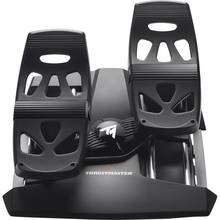 Proveedor:Thrustmaster
Pedales de timón Thrustmaster T.Flight (PS5, PS4, Xbox Series X|S, One, PC)
Precio habitual $129.99Precio de oferta $129.99 Precio habitualPrecio unitario por -
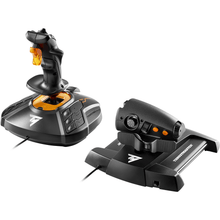 Proveedor:Thrustmaster
Controlador de juegos Thrustmaster T.1600M FCS (PC)
Precio habitual $169.99Precio de oferta $169.99 Precio habitualPrecio unitario por -
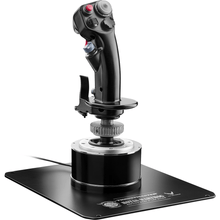 Proveedor:Thrustmaster
Palanca de vuelo Thrustmaster HOTAS Warthog (PC)
Precio habitual $279.99Precio de oferta $279.99 Precio habitualPrecio unitario por -
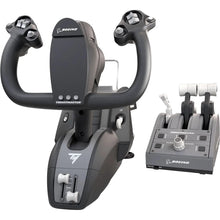 Proveedor:Thrustmaster
Paquete de yugo TCA de Thrustmaster edición Boeing (Xbox Series X|S, One, PC)
Precio habitual $499.99Precio de oferta $499.99 Precio habitualPrecio unitario por -
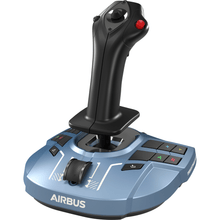 Proveedor:Thrustmaster
Thrustmaster TCA Sidestick X Airbus Edition: Control de vuelo de precisión para entusiastas de Xbox y PC
Precio habitual $119.99Precio de oferta $119.99 Precio habitualPrecio unitario por -
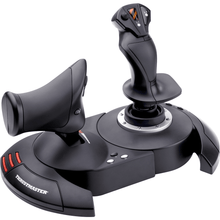 Proveedor:Thrustmaster
Thrustmaster T-Flight HOTAS X: Mejora tu experiencia de simulación de vuelo para PC con joystick de precisión y acelerador desmontable
Precio habitual $69.99Precio de oferta $69.99 Precio habitualPrecio unitario por -
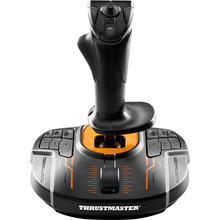 Proveedor:Thrustmaster
Joystick Thrustmaster T.16000M FCS: Libera precisión y control para una simulación espacial avanzada en PC
Precio habitual $79.99Precio de oferta $79.99 Precio habitualPrecio unitario por -
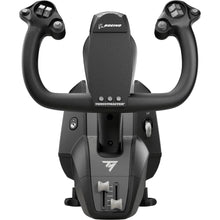 Proveedor:Thrustmaster
Yugo TCA de Thrustmaster, edición Boeing (Xbox Series X|S, One, PC)
Precio habitual $399.99Precio de oferta $399.99 Precio habitualPrecio unitario por -
 OfertaNuevoProveedor:Thrustmaster
Thrustmaster SOL-R 4 HOTAS - Sistema avanzado de simulación de vuelo (PC)
Precio habitual $339.99Precio de oferta $339.99 Precio habitualPrecio unitario por$349.99 -
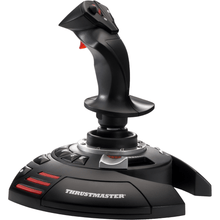 Proveedor:Thrustmaster
Joystick Thrustmaster T.Flight X (PC)
Precio habitual $49.99Precio de oferta $49.99 Precio habitualPrecio unitario por -
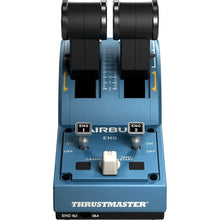 Proveedor:Thrustmaster
Thrustmaster TCA Quadrant Edición Airbus (PC)
Precio habitual $129.99Precio de oferta $129.99 Precio habitualPrecio unitario por -
 Proveedor:Thrustmaster
Paquete de oficial TCA de Thrustmaster Edición Airbus (PC)
Precio habitual $189.99Precio de oferta $189.99 Precio habitualPrecio unitario por -
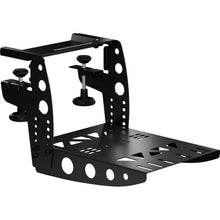 Proveedor:Thrustmaster
Abrazadera de vuelo Thrustmaster TM
Precio habitual $79.99Precio de oferta $79.99 Precio habitualPrecio unitario por


Thrustmaster flight sim controls, built to fly like the real thing
Thrustmaster has made gaming and simulation hardware for more than 30 years, and its flight lineup is aimed at sim pilots who want controls that behave like an actual aircraft. The range spans two anchor families: the T.16000M series, with precise H.E.A.R.T magnetic sensors and an ambidextrous stick, and the TCA (Thrustmaster Civil Aviation) line, with officially licensed Airbus sidesticks and Boeing yokes. Most models work with Microsoft Flight Simulator, X-Plane, and DCS World on PC, and many also run on Xbox and PlayStation. Below is a quick rundown of the main control types and how to choose the right setup for the flying you do most.
Compare popular Thrustmaster setups
| Setup | Best for | Platforms |
|---|---|---|
| T.16000M FCS HOTAS | First HOTAS on PC, general aviation and combat | PC |
| TCA Captain Pack X Airbus Edition | Airbus-style airliner flying with sidestick and dual throttle quadrant | Xbox, PC |
| TCA Yoke Pack Boeing Edition | Boeing-style yoke flying with throttle quadrant | Xbox, PC |
| HOTAS Warthog Stick and Throttle | Military and combat sim, metal A-10C replica | PC |
| TPR Pendular Rudder Pedals | Flagship rudder control for serious sim pilots | PC |
Types of Thrustmaster flight sim hardware
Joysticks and HOTAS
A HOTAS (hands on throttle and stick) pairs a flight stick with a separate throttle so you keep both hands on the controls. The T.16000M FCS HOTAS combines the ambidextrous T.16000M stick with the TWCS throttle and is the classic starting point for home sim flying. The T-Flight HOTAS X and HOTAS One Microsoft Flight Simulator Edition are budget-friendly entry points, while the metal HOTAS Warthog is a 1:1 replica of the A-10C Thunderbolt II controls for combat sim.
Yokes
A yoke replicates the control wheel found in most general aviation aircraft and airliners. The TCA Yoke Pack Boeing Edition brings a pendular yoke and throttle quadrant patterned on the 787 to Xbox and PC cockpits, and the standalone TCA Yoke Boeing Edition adds the yoke alone if you already own a quadrant.
Sidesticks and throttle quadrants
Airbus aircraft use a sidestick instead of a yoke. The TCA Sidestick X Airbus Edition models the A320 sidestick, and the TCA Quadrant Airbus Edition adds dual engine throttle control. The TCA Officer Pack Airbus Edition bundles the two together.
Rudder pedals
Rudder pedals add yaw control and toe brakes for realistic ground handling and crosswind work. The TPR Pendular Rudder Pedals are the flagship choice for PC, while the T.Flight Rudder Pedals cover PC and consoles on a budget.
Complete kits and packs
If you would rather buy a full cockpit in one box, packs like the T.Flight Full Kit X and the T.16000M FCS Flight Pack combine stick, throttle, and pedals so everything matches and works together out of the box.
How to choose the right Thrustmaster setup
- Match the aircraft you fly. Choose a yoke for Boeing and general aviation aircraft, a sidestick for Airbus airliners, and a HOTAS stick for fighters and military jets.
- Check your platform. The Warthog, TPR pedals, and T.16000M line are PC only, while the TCA Airbus and Boeing packs and the HOTAS One run on Xbox and PC, and several T.Flight products add PlayStation support.
- Decide piece-by-piece or all-in-one. A complete pack guarantees everything is compatible from the start, while buying individual stick, quadrant, and pedal units lets you build a cockpit gradually.
- Add rudder pedals for realism. Pedals make taxiing, crosswind landings, and coordinated turns far more authentic than twisting a stick for yaw.
Why buy from Pilot Mall
- Aviation-only focus, so you get gear chosen for pilots and sim pilots, not a general electronics catalog.
- Trusted by pilots for more than 25 years.
- Free U.S. shipping on orders over $100.
- Expert guidance from a team that knows both real-world flying and flight simulation.
Frequently Asked Questions
What is the best Thrustmaster HOTAS for beginners?
The Thrustmaster T.16000M FCS HOTAS is the most popular starting point for new sim pilots because it pairs a precise, ambidextrous magnetic-sensor stick with the TWCS throttle at an accessible price, and for tighter budgets the T-Flight HOTAS X and HOTAS One Microsoft Flight Simulator Edition are simpler entry-level options.
Do Thrustmaster flight controls work with Microsoft Flight Simulator?
Yes, most Thrustmaster flight controls work with Microsoft Flight Simulator, and the TCA Airbus, TCA Boeing, and HOTAS One lines are designed specifically with the platform in mind, while the PC-only T.16000M and Warthog families are also fully supported.
Should I choose a yoke or a sidestick?
Choose a yoke if you fly Boeing airliners or general aviation aircraft that use a control wheel, and choose a sidestick if you fly Airbus airliners, since the TCA Yoke Boeing Edition and TCA Sidestick X Airbus Edition each replicate the real control layout of those aircraft.
Do I need rudder pedals for flight simulation?
Rudder pedals are not strictly required because most sticks include a twist axis for yaw, but dedicated pedals such as the Thrustmaster TPR Pendular Rudder Pedals deliver far more realistic taxiing, crosswind landings, and coordinated turns, which is why serious sim pilots add them.
What other flight sim brands does Pilot Mall carry?
Alongside Thrustmaster, Pilot Mall carries Turtle Beach VelocityOne and Logitech G (Saitek) flight sim controls, as well as complete flight simulator bundles, and you can browse the full range in our flight simulator equipment and flight simulator and training collections.
